
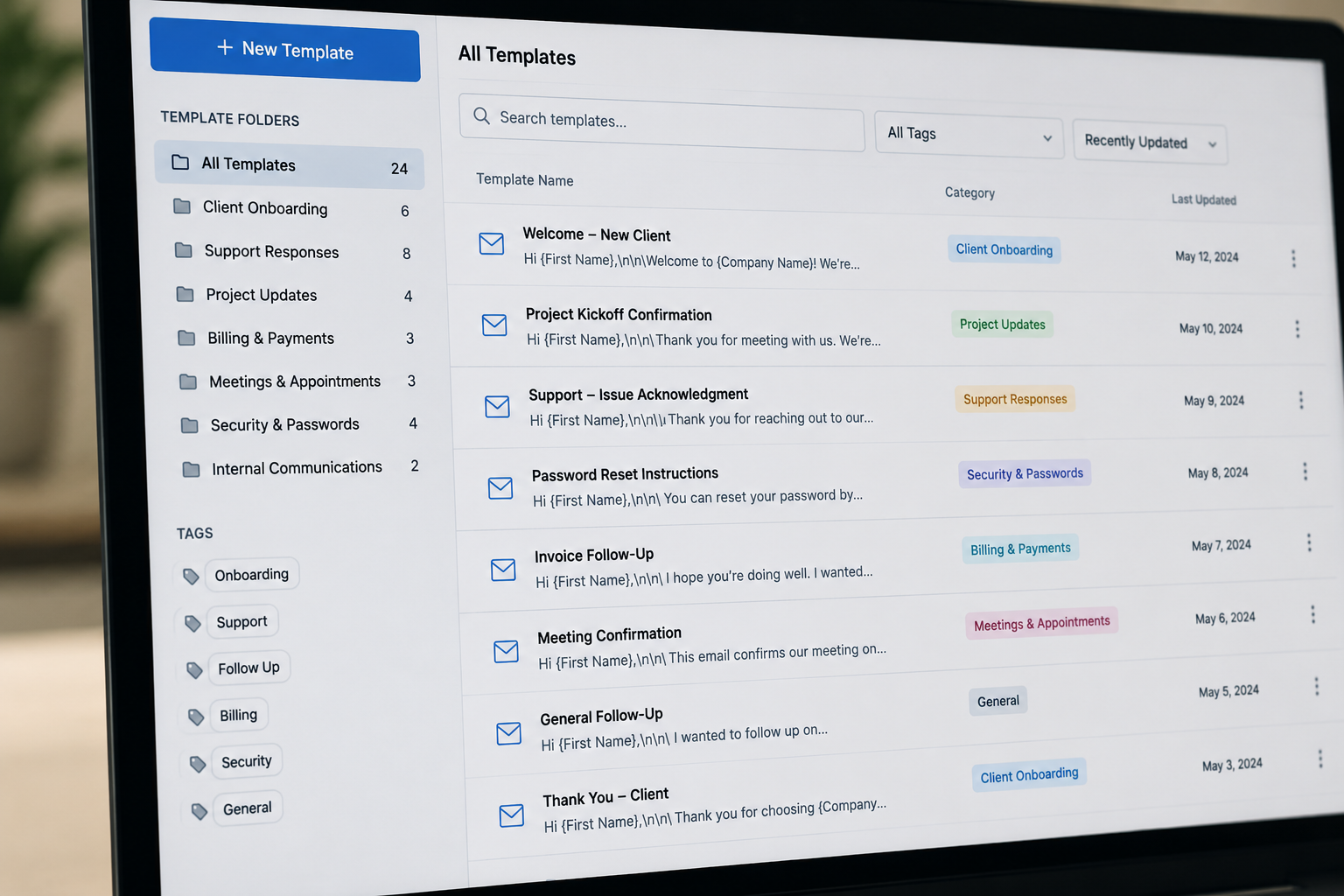

Smarter Communication Starts With Small Habits
Most people do not realize how much time they spend rewriting the same messages over and over again.
A quick email response here. A weekly update there. Password instructions. Meeting confirmations. Follow-ups. Status updates.
Individually, these tasks seem small. But over time, repetitive communication quietly consumes hours of the workweek while also increasing mental fatigue and inconsistency.
One of the simplest ways to improve productivity is to identify repeated communication and turn it into a repeatable process. Sometimes the smartest operational improvements are also the simplest.
As the saying goes, work smarter, not harder.
Why Repetitive Communication Slows Teams Down
When employees constantly rewrite the same information, several problems begin to surface:
• Response times become slower
• Important details get forgotten
• Messaging becomes inconsistent
• Employees experience unnecessary frustration
• Communication quality varies from person to person
Even highly capable employees lose time when they repeatedly stop to recreate information they have already written dozens of times before.
This is especially common in customer service, technical support, administration, finance, healthcare, and local government offices where many communications follow a predictable structure.
Over time, repetitive communication also creates decision fatigue. Small repeated choices throughout the day gradually reduce focus and mental energy.
A simple template can eliminate much of that unnecessary friction.
Email Templates Are Not Lazy, They Are Strategic
Some people hesitate to use templates because they worry it will make communication feel robotic or impersonal.
In reality, well-written templates are often a sign of a mature and organized business.
Templates help teams:
• Respond faster
• Maintain professionalism
• Reduce errors
• Improve consistency
• Deliver a better customer experience
Standardized communication also helps new employees ramp up more quickly because they have clear examples and approved messaging already available.
Rather than starting from scratch every time, employees can focus their attention on the parts of communication that actually require thought, care, and customization.
That is not laziness. That is stewardship of time and resources.
Common Examples Of Emails Worth Turning Into Templates
Many businesses already have repetitive communication hiding in plain sight.
Examples include:
• Appointment reminders
• Invoice follow-ups
• Customer onboarding instructions
• Password reset guidance
• Meeting confirmations
• Project status updates
• Help desk responses
• Frequently asked questions
• Internal team announcements
• Weekly reporting emails
If you find yourself typing nearly the same message multiple times each week, it is probably a good candidate for a template.
How To Create Email Templates Across Different Platforms
The good news is that most email platforms already include built-in tools for creating templates. Whether your business uses Microsoft Outlook, Gmail, Microsoft 365, or a customer service platform, the process is usually straightforward. In most cases, you simply create a message, save it as a template or canned response, and reuse it whenever needed. Many platforms even allow teams to share templates across departments to keep communication consistent. If you are unsure where to start, searching phrases like “How to create an email template in Outlook” or “How to save Gmail email templates” will usually provide step-by-step instructions directly from the software provider. Even spending just thirty minutes setting up a few common templates can save hours of repetitive work over time.
Consistency Builds Trust
When clients or customers receive clear, organized, and reliable communication, it creates confidence. It tells people your business is attentive, prepared, and dependable.
On the other hand, inconsistent communication can create confusion and frustration. Missing information, different wording between employees, or delayed responses can make an organization appear disorganized even when the team is working hard behind the scenes.
Templates help establish a dependable communication standard across the organization.
That consistency becomes part of the customer experience.
Reducing Decision Fatigue Throughout The Workday
Every workday is filled with decisions.
Some decisions are important and require careful thought. Others are repetitive and unnecessary.
When employees repeatedly stop to rewrite the same communication, they waste mental energy on tasks that could easily be streamlined.
This matters because decision fatigue is real.
The more unnecessary decisions people make throughout the day, the harder it becomes to stay focused on complex work that truly needs attention.
Templates help remove repetitive mental load so employees can spend more energy:
• Solving problems
• Serving customers
• Supporting teammates
• Thinking strategically
• Completing high-value work
Sometimes productivity improvements are less about working faster and more about removing friction.
Automation Does Not Remove The Human Element
Automation often gets a bad reputation because people assume it removes personal connection.
But healthy automation should actually create more room for meaningful human interaction.
If an employee no longer spends time rewriting password reset instructions twenty times per week, they now have more time to thoughtfully help someone facing a real problem.
Templates and automation should handle repetitive information, not replace empathy, care, or attentiveness.
The goal is not to make communication feel cold. The goal is to reduce unnecessary repetition so people can focus on the moments that matter most.
Simple Ways To Personalize Templates
Templates work best when they remain flexible.
A few small touches can make standardized communication still feel warm and personal:
• Use the recipient’s name
• Add a short custom sentence
• Reference a recent conversation
• Adjust wording for the situation
• Keep the tone conversational
Good templates create structure without removing authenticity.
Small Operational Improvements Often Create Big Results
Many businesses search for large, expensive solutions to improve efficiency while overlooking smaller operational habits that quietly waste time every day.
Sometimes meaningful improvement begins with simple questions:
• What tasks are repeated constantly?
• What information gets rewritten over and over?
• What processes create unnecessary delays?
• Where are employees losing time to avoidable work?
Small improvements compound over time.
Saving just ten minutes per employee each day can create hundreds of recovered work hours across a year.
That recovered time can then be redirected toward better customer service, strategic planning, team development, relationship building, and more thoughtful work.
Operational maturity is often built through small, consistent improvements rather than dramatic overnight changes.
Work Smarter So You Can Serve Better
Templates and automation are not about removing effort. They are about redirecting effort toward the work that matters most.
When repetitive communication becomes streamlined, employees gain more time, consistency improves, and organizations become easier to work with.
The goal is not simply productivity for productivity’s sake.
The goal is creating healthier workflows that allow people to serve others more effectively, reduce unnecessary stress, and focus their energy where it truly makes a difference.
Sometimes working smarter really is as simple as stopping yourself from rewriting the same email for the fiftieth time.
If you’re ever unsure or need more support, Cross Link Consulting is always here to help.