

Protecting Your Work Without Slowing Yourself Down
Many people still shut their computer down every time they leave their desk.
Others do the exact opposite. They leave their computer completely unlocked while they grab coffee, attend a meeting, or step away for lunch.
Both habits can create problems.
The good news is that there is a better option.
Learning how to properly lock or log out of your computer helps protect sensitive information without interrupting your workday. It only takes a few seconds, but it can improve both security and productivity in a major way.
At Cross Link Consulting, we regularly help businesses improve cybersecurity through practical daily habits, not just expensive software or complicated systems. Sometimes the smallest habits make the biggest difference.
Understanding the Difference Between Locking, Logging Out, and Restarting
These terms sound similar, but they all do very different things.
Knowing the difference helps you choose the right option for the situation.
Locking your computer keeps your programs and documents open while protecting your screen with a password.
Logging out signs you out of your account completely and usually closes your programs.
Restarting reloads the operating system and is mainly used for updates or troubleshooting problems.
The Fastest Way To Lock Your Windows Computer
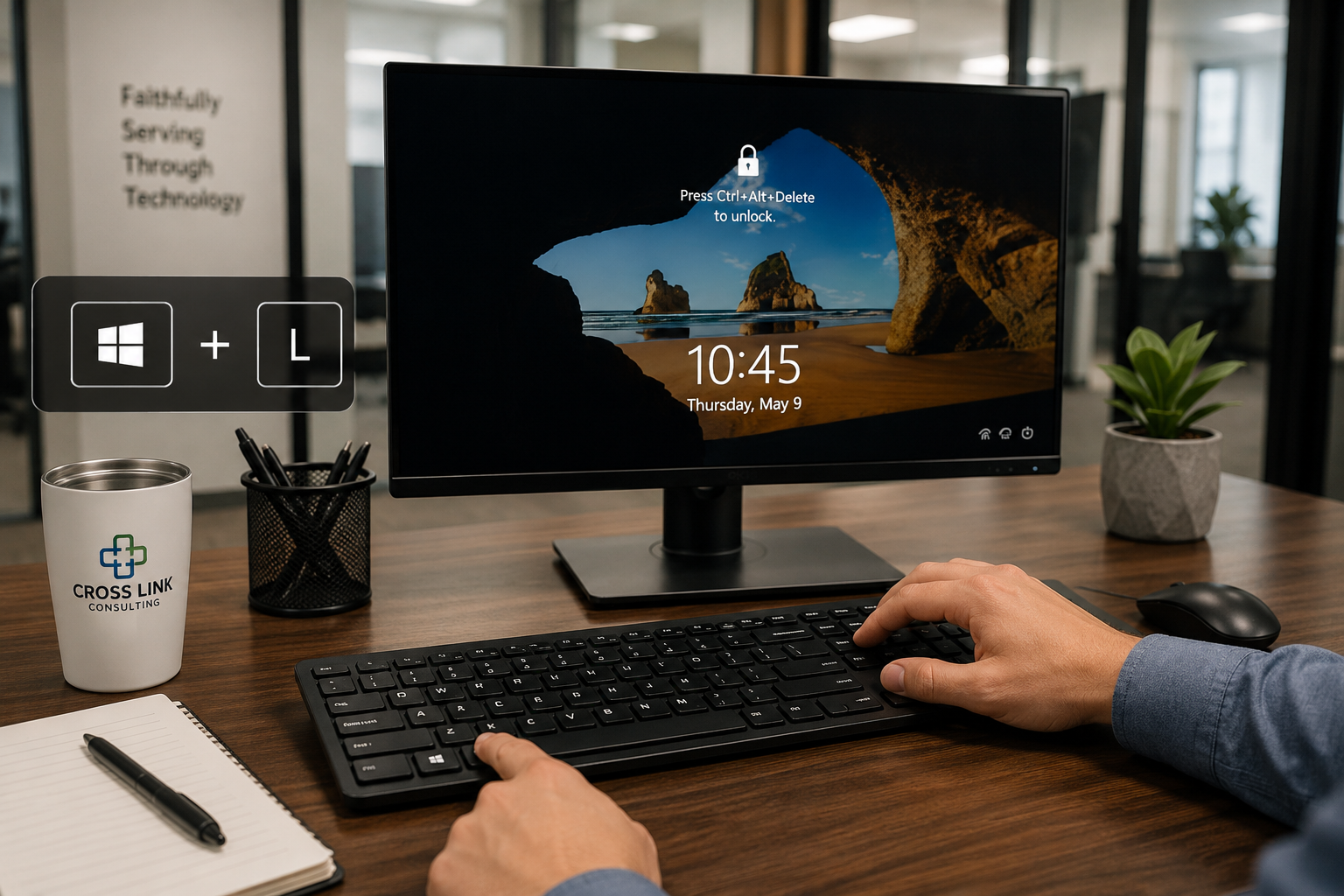
Most Windows users can lock their computer instantly with one shortcut.
Press the Windows Key and the L key at the same time.
Your screen locks immediately while your work stays open in the background.
Other methods include using the Start Menu or pressing Ctrl + Alt + Delete and selecting Lock.
This is one of the easiest cybersecurity habits employees can learn.
How To Properly Log Out of Windows
Logging out only takes a few moments.
Click Start, select your profile icon, and click Sign Out.
You can also press Ctrl + Alt + Delete and choose Sign Out.
Before logging out, save documents, spreadsheets, emails, and any important work to avoid losing unsaved information.
How To Lock or Log Out on a Mac
Mac users have similar options available.
The fastest way to lock a Mac is pressing Control + Command + Q.
To log out, click the Apple logo and choose Log Out.
Mac computers also support fast user switching, which is useful for shared office workstations.
Why Screen Locking Matters for Businesses
Many cybersecurity issues begin with simple oversights.
Unlocked computers can expose customer records, financial information, emails, passwords, and confidential documents.
This is especially important for finance offices, healthcare providers, local governments, and businesses handling sensitive information.
Cybersecurity is not only about antivirus software or firewalls. It is also about responsibility, stewardship, and protecting what has been entrusted to your organization.
Simple Ways To Build Better Security Habits
Good security habits do not need to be complicated.
Learning one shortcut and using it consistently can dramatically improve workplace security.
Businesses should also enable automatic screen locks, password requirements after inactivity, and company-wide device security policies.
At Cross Link Consulting, we believe protecting systems and information is part of faithfully serving others well.
Good Security Often Starts with Small Decisions
Cybersecurity does not always begin with expensive tools or complicated systems.
Sometimes it starts with one simple habit: locking your computer before walking away.
Small habits help businesses remain secure, productive, and professional.
Cross Link Consulting faithfully serves businesses and organizations throughout the CSRA by helping them build practical technology habits that strengthen security and improve productivity. If you’re ever unsure or need more support, Cross Link Consulting is always here to help.